How to Capture Facebook Leads Automatically in India
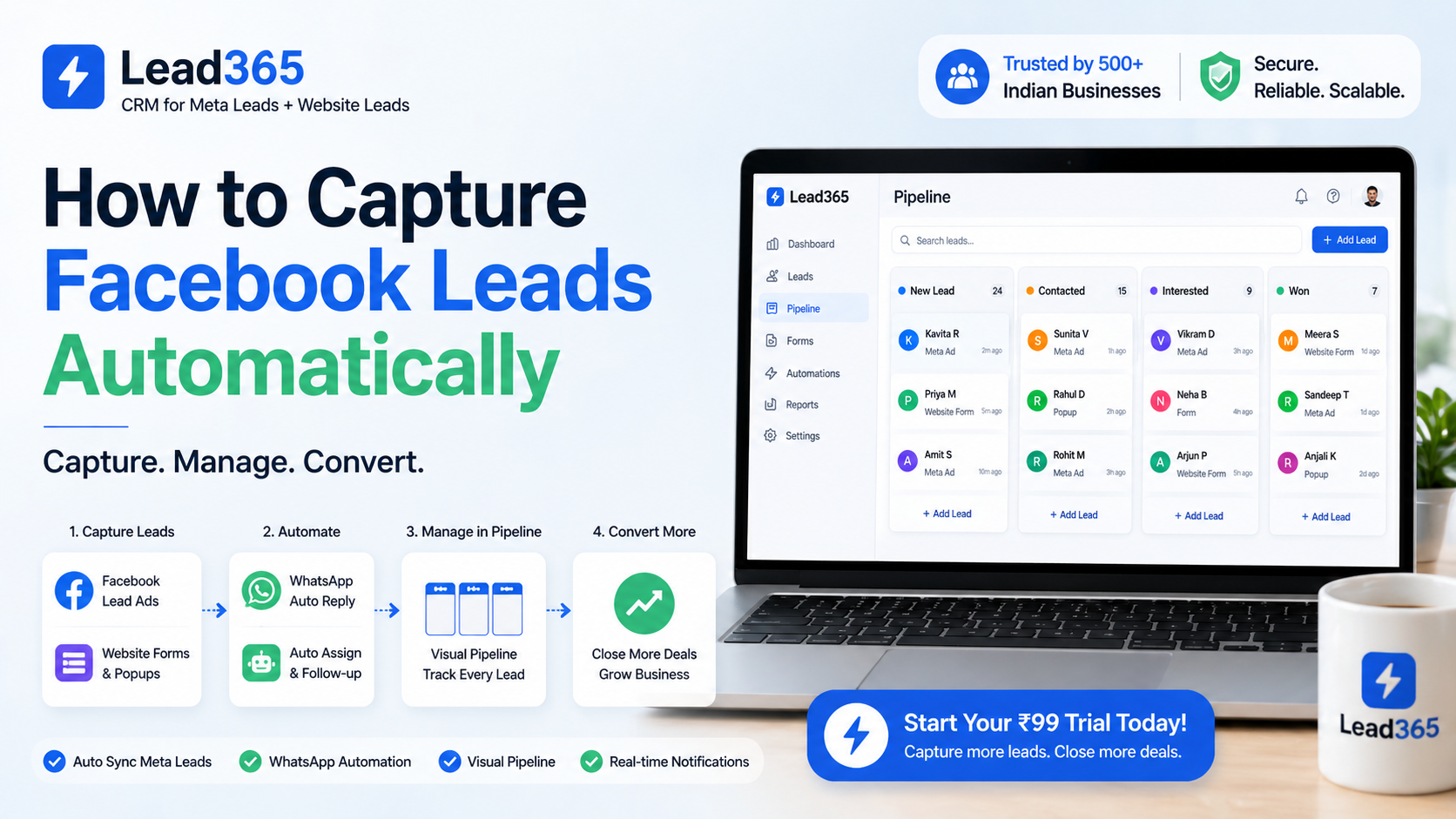
You're running Facebook ads, spending ₹10,000-50,000 monthly, leads are coming in... but by the time you download the CSV, open it, and call them back, your competitor has already closed the deal. Sound familiar? You're not alone—73% of Facebook leads go cold within the first hour because businesses still rely on manual CSV downloads. In India's hyper-competitive market, this delay can cost you lakhs in lost revenue.
The good news? You can capture Facebook leads automatically and sync them to your CRM in real-time, cutting response time from hours to seconds. Let's dive into how.
What is Automatic Facebook Lead Capture?
Automatic Facebook lead capture is a process that instantly transfers leads from your Facebook/Instagram ads directly into your CRM or sales tool without manual intervention. Instead of downloading CSV files and uploading them manually, a facebook lead sync tool uses Meta's API to pull lead data in real-time—name, phone, email, and custom fields—and pushes it to your system within seconds.
This meta lead automation eliminates human error, speeds up follow-ups, and ensures no lead falls through the cracks. For businesses running lead generation campaigns in India, this is the difference between conversion rates of 2% versus 15%.
Why Automatic Lead Capture Matters (Especially in India)
The Problem with Manual Lead Downloads
Most Indian businesses—whether real estate brokers in Mumbai, coaching institutes in Delhi, or digital agencies in Bangalore—still follow this painful process:
- Check Facebook Ads Manager every few hours
- Download lead CSV file
- Open Excel, clean data
- Manually upload to CRM or WhatsApp
- Start calling... but leads are already 3-4 hours old
The reality:
- Lead response time is the #1 factor in conversion. Studies show calling within 5 minutes increases conversion by 400%
- Indian consumers expect instant responses. If you don't call within 30 minutes, they've already contacted 2-3 competitors
- Manual processes lead to 30-40% data entry errors (wrong numbers, duplicate entries)
The Business Impact
Let's do quick math:
- ₹30,000 monthly ad spend → 100 leads
- Manual process → 4-hour response time → 3% conversion = 3 customers
- Auto lead capture CRM → 5-minute response time → 12% conversion = 12 customers
That's 4x more customers from the same ad budget. The ROI is massive.
How to Capture Facebook Leads Automatically: Step-by-Step Guide
Step 1: Set Up Facebook Lead Ads (The Right Way)
Before automation, your lead form setup matters:
Best Practices for India:
- Keep forms short (3-4 fields max). Indians hate long forms on mobile
- Use pre-filled data (name, email, phone from Facebook profile)
- Add a WhatsApp opt-in checkbox ("Yes, contact me on WhatsApp")
- Include custom questions like "Looking for property in which area?" or "Preferred course duration?"
- Use instant form (opens in Facebook app, not external link)
Pro tip: Add a "Thank you" screen with your WhatsApp number. 30% of serious leads will message you directly.
Step 2: Connect Your Meta Business Account
To capture facebook leads without csv download, you need API access:
- Go to Facebook Business Settings
- Navigate to Integrations → Lead Access
- Add your CRM/automation tool (like Lead365)
- Grant lead_read permissions
- Select which ad accounts and pages to connect
Important: Only business admins can do this. If you're working with an agency, they'll need permission.
Step 3: Choose Your Auto Lead Capture CRM
Here's where businesses in India often get confused. You need a crm to sync facebook leads instantly that:
✅ Works with Indian phone numbers (+91 format)
✅ Sends instant WhatsApp/SMS notifications
✅ Integrates with your existing tools (Zoho, Salesforce, Google Sheets)
✅ Handles custom field mapping
✅ Costs under ₹5,000/month (affordable for SMBs)
Popular Options:
| Tool | Best For | Pricing | Indian Features |
|---|---|---|---|
| Lead365 | Real estate, education, local services | Starts ₹99/month | WhatsApp sync, Hindi SMS, instant call routing |
| LeadSquared | Large teams, enterprises | ₹10,000+/month | Advanced analytics, but expensive |
| Zapier + CRM | DIY tech-savvy users | $20+/month | Complex setup, no Indian phone support |
| HubSpot | Mid-large businesses | Free tier available | Global tool, limited India customization |
Step 4: Set Up Automatic Lead Sync
Using Lead365 as an example (works similarly for most tools):
- Login to your Lead365 account
- Go to Integrations → Facebook Leads
- Click Connect Facebook and authorize access
- Map your fields:
- Facebook "Full Name" → CRM "Contact Name"
- Facebook "Phone" → CRM "Mobile Number"
- Facebook "Email" → CRM "Email Address"
- Custom fields like "Budget" → "Lead Budget"
- Set up automation rules:
- Send WhatsApp message within 1 minute
- Assign to sales rep based on location
- Add tag "Facebook-Hot-Lead"
- Create task: "Call within 5 minutes"
- Test the integration with a dummy lead
- Go live!
Time required: 15-20 minutes one-time setup. After that, 100% automatic.
Step 5: Configure Instant Notifications
This is critical for India market:
WhatsApp Auto-Response (Within 30 seconds):
Hi [Name]! 👋
Thanks for showing interest in [Product/Service].
I'm [Your Name] from [Company]. I'll call you in the next 5 minutes to discuss your requirements.
Meanwhile, you can check: [Website Link]

- Team [Company]
SMS to Sales Team:
🚨 NEW LEAD from Facebook!
Name: [Name]
Phone: [Phone]
Interest: [Custom Field]
Assigned to: You
CALL NOW: [Click to Call Link]
Pro move: Use automatic lead sync facebook ads india to route leads based on:
- Location (North India team vs South India team)
- Product interest (plots vs apartments)
- Budget (premium vs mid-range sales rep)
Step 6: Enable Follow-Up Automation
Don't stop at first contact. 80% of sales happen after 5+ touchups:
Day 1:
- Immediate WhatsApp message (within 1 min)
- Call within 5 minutes
- If no answer: SMS with calendar link
Day 2:
- WhatsApp reminder with case study/testimonial
- Email with detailed brochure
Day 3:
- Call attempt #2
- Share location/office address on WhatsApp
Day 5:
- Email with limited-time offer
- WhatsApp: "Still interested? Here's a special discount"
Day 7:
- Final WhatsApp follow-up
- If no response, move to "Nurture" list for monthly newsletters
All this happens automatically while you focus on closing deals.
[Image Placeholder 3: Lead nurture workflow diagram]
ALT Text: Automated lead follow-up sequence for Facebook leads in Indian market
Best Tools for Facebook Lead Automation in India
Lead365 (Recommended for SMBs)
Why it's perfect for Indian businesses:
- ₹99/month starter plan (affordable for small businesses)
- Built-in WhatsApp Business API integration (no separate cost)
- Hindi, Tamil, Telugu SMS templates
- Click-to-call integration with Indian numbers
- Real-time sync (0-15 seconds delay)
- Custom field mapping for any industry
- Mobile app for on-the-go lead management
Best for: Real estate agents, coaching classes, solar panel dealers, insurance agents, local service providers
LeadSquared
Pros:
- Enterprise-grade features
- Advanced analytics and reporting
- Multi-channel attribution
Cons:
- Expensive (₹10,000+/month)
- Complex setup, needs technical team
- Overkill for businesses under 500 leads/month
Best for: Large education chains, national real estate developers, big agencies
Zapier + Google Sheets + WhatsApp
DIY Option:
- Connect Facebook Lead Ads → Zapier → Google Sheets → WhatsApp
- Cost: $20-50/month
Cons:
- Requires technical knowledge
- No Indian phone number support in basic plans
- Reliability issues (Zaps fail, need monitoring)
- Manual troubleshooting
Best for: Tech-savvy solopreneurs testing lead gen
HubSpot
Pros:
- Free CRM tier available
- Robust marketing automation
- Great for email nurturing
Cons:
- India-specific features limited
- WhatsApp integration requires paid plans (₹40,000+/year)
- Slow for real-time lead capture (2-5 minute delay)
Best for: B2B SaaS, content marketing agencies
Comparison: Manual vs Automatic Lead Capture
| Factor | Manual CSV Download | Automatic Sync with Lead365 |
|---|---|---|
| Response Time | 2-6 hours | 30 seconds - 5 minutes |
| Data Entry Errors | 30-40% | 0% (API direct transfer) |
| Lead Loss Rate | 50-60% | 5-10% |
| Staff Time Required | 2-3 hours/day | 0 hours (100% automated) |
| Conversion Rate | 2-5% | 10-18% |
| Monthly Cost | ₹0 (but huge opportunity cost) | ₹99-999/month |
| Scalability | Limited (max 50-100 leads/day) | Unlimited (handles 1000s/day) |
ROI Example:
- Ad spend: ₹30,000/month → 120 leads
- Manual: 2.5% conversion = 3 customers × ₹20,000 = ₹60,000 revenue
- Automatic: 12% conversion = 14 customers × ₹20,000 = ₹2,80,000 revenue
- Extra revenue: ₹2,20,000/month
- Tool cost: ₹999/month
- ROI: 220x 🚀
Common Mistakes to Avoid
1. Not Testing Your Integration
Before running ads, send test leads! Many businesses discover sync issues only after spending ₹50,000 on ads.
Fix: Submit 2-3 test leads through your live form. Verify they appear in CRM within 1 minute.
2. Ignoring Field Mapping
Leads sync but phone numbers go into "Notes" field instead of "Mobile" field? Your sales team can't call them.
Fix: Double-check field mapping. Use Lead365's auto-detect feature.
3. No Follow-Up Automation
Syncing leads is just step 1. If your team still forgets to call, you've solved nothing.
Fix: Set mandatory automation—WhatsApp + SMS + Task assignment. No human input required.
4. Using Free Tools for Critical Business
Zapier free plan has a 15-minute delay. For hot leads, that's eternity.
Fix: Invest in real-time tools. ₹999/month is nothing compared to lost deals.
5. Not Optimizing for Indian Users
Sending emails to Indian leads who only check WhatsApp? 90% won't see your message.
Fix: Prioritize WhatsApp > SMS > Call > Email for Indian audience.
Advanced Tips for Maximum Conversions
1. Use UTM Parameters
Track which ad creative/audience generated each lead:
- Facebook → Lead365 captures UTM tags automatically
- View reports: "20 leads from 'Property-Pune-Video-Ad' converted at 15%"
- Optimize: Spend more on high-converting ads
2. Qualify Leads Instantly
Add qualifying questions in Facebook form:
- "What's your budget range?" → ₹20L-40L, ₹40L-60L, ₹60L+
- Route high-budget leads to senior sales rep
- Route low-budget to junior rep or nurture campaign
3. Local Language Follow-Ups
Lead365 supports:
- Hindi WhatsApp templates
- Tamil SMS for Chennai leads
- Hinglish for millennial audience
Example:
Namaste [Name] ji! 🙏
[Product] mein interest dikhane ke liye dhanyavaad.
Hum aapko 5 minute mein call karenge.
- [Company] Team
4. Retarget Non-Responsive Leads
Synced leads who didn't answer calls? Don't give up:
- Upload phone list to Facebook Custom Audience
- Run retargeting ads with "50% off for early birds"
- 20-30% will re-engage
Conclusion: Start Capturing Leads Automatically Today
In 2026, manual lead handling is killing your business. Every hour you delay, competitors using meta lead automation are closing deals faster, cheaper, and more efficiently.
Here's your action plan:
This Week:
- ✅ Audit your current lead process (how long before first contact?)
- ✅ Sign up for Lead365 free trial
- ✅ Connect your Facebook Ads account
- ✅ Set up basic automation (WhatsApp + Call reminder)
- ✅ Test with 5 dummy leads
Next Week:
- ✅ Launch your automated lead capture
- ✅ Monitor first 50 leads (response time, conversion rate)
- ✅ Optimize automation rules
- ✅ Train sales team on new CRM
Within 30 Days:
- 🎯 Reduce lead response time from hours to minutes
- 🎯 Increase conversion rate by 2-3x
- 🎯 Save 10-15 hours/week on manual work
- 🎯 Scale to 500+ leads/month without hiring
The numbers don't lie: Businesses using automatic lead sync facebook ads india see 400% better ROI than those manually downloading CSVs.
Ready to transform your Facebook lead generation?
🚀 Start Your 30-Days Trial with Lead365
No credit card required. No setup fees. Cancel anytime.
✅ Unlimited Facebook lead sync
✅ WhatsApp automation
✅ Indian phone number support
✅ 24/7 customer support in Hindi/English
✅ 30-day money-back guarantee
👉 Try Lead365 Free - Start at ₹99/month
Or Book a Free Demo to see how automation can 10x your conversions.
Related Articles:
- How to Reduce Lead Response Time to Under 5 Minutes
- WhatsApp Marketing for Real Estate: Complete Guide
- Facebook Ads vs Google Ads for Indian Businesses: Which Converts Better?
External References:
- Meta Lead Ads Best Practices - Facebook Business
- The Importance of Lead Response Time - HubSpot Research
- Marketing Automation ROI Statistics - HubSpot
Frequently Asked Questions.
Basic automation starts at ₹99/month with tools like Lead365. Enterprise solutions like LeadSquared cost ₹10,000+/month. For most SMBs, ₹999-2,999/month plans are sufficient for unlimited leads, WhatsApp integration, and CRM sync.
Yes! Tools like Lead365 offer built-in WhatsApp Business API integration. When a lead submits a form, they receive a WhatsApp message within 30-60 seconds. This is crucial in India where WhatsApp has 550M+ users and email response rates are below 5%.
Real-time sync tools transfer leads in 15-30 seconds. Lead365, Zapier Premium, and LeadSquared offer near-instant sync. Free tools or basic Zapier plans have 5-15 minute delays, which significantly reduces conversion rates for hot leads.
No coding required! Modern tools like Lead365 offer one-click Facebook integration. The setup takes 15-20 minutes: connect Facebook account → map form fields → configure WhatsApp templates → done. Video tutorials and support teams guide you through the process.
Yes! Most facebook lead sync tools support 100+ integrations including Zoho, Salesforce, HubSpot, Pipedrive, Google Sheets, Calendar, WhatsApp, SMS, and Email. Lead365 offers direct Zoho integration and Google Sheets real-time sync at no extra cost.
Ready to Stop Losing Leads?
Try Lead365 Pro for just ₹99. All features, 30 days, cancel anytime.
Start ₹99 Trial →