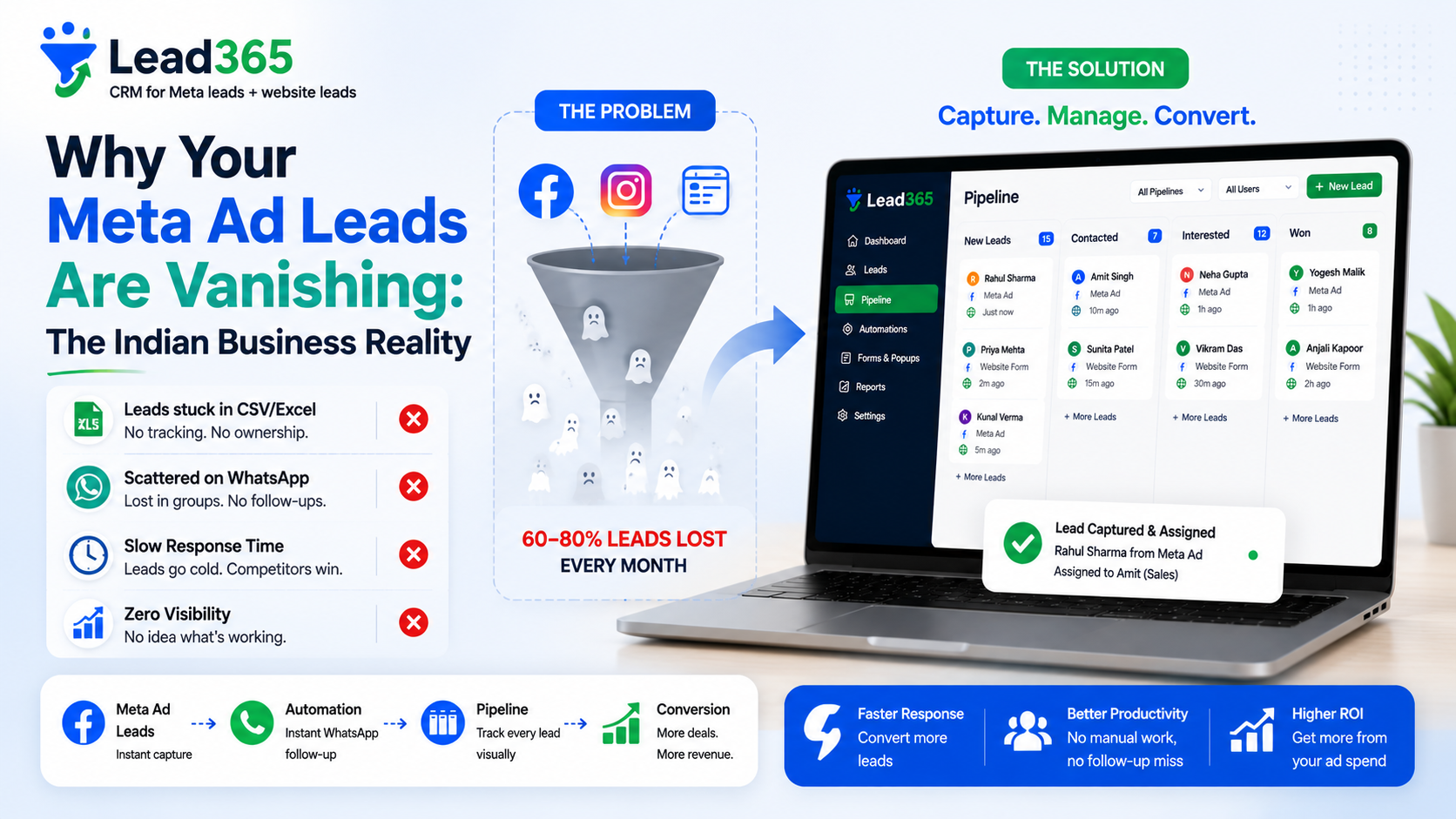
Kanban Pipeline View vs Excel List: Why Visual Pipelines Close 3X More Deals in India (2026)

Introduction
You track 140 leads in Excel rows — row 38 is "Priya - Interested - Follow up 5 Aug". On 7 Aug you forgot to scroll, Priya went cold, competitor closed. Excel doesn't nudge, pipeline does.
Indian SMBs lose 60% leads in Excel/Google Sheets because lists hide stage, value and delay. Kanban pipeline view vs Excel list India solves it — drag-drop cards, stage value, overdue red, SLA.
Direct Answer: Kanban pipeline India is visual columns (New → Contacted → Qualified → Won) with drag-drop cards vs Excel rows. In Lead365, pipeline shows value per stage, overdue alerts, one-click call/WA. Result vs Excel list: response 6 hrs→8 mins, leakage 60%→0%, close 3X per Sharma Realty study. Migration Excel→CRM 1-click import in Track without Excel guide.
Key Takeaways
- Excel problems: No drag-drop, no stage totals, no alerts, no assign, filter resets, mobile hell — 60% leakage.
- Kanban wins: Visual value per stage (₹12L in Qualified), drag to next, overdue red, assign avatar, call/WA button.
- Lead365 pipeline: 10 templates (real estate, coaching, clinic...), custom stages, stage value, quick modal — 15-min setup.
- Migration: Excel CSV 1-click import → field map → pipeline auto — no data loss (see Alternative to Excel).
Definition Box
| View | How It Looks India | What You See |
|---|---|---|
| Excel List | Rows: Name, Phone, Stage text, Date typed | Row 38 Priya "Interested" — buried, no total |
| Kanban Pipeline | Columns: New (12) Contacted (8) Interested (5) Won (3) — cards drag | Column Interested shows ₹4.2L value, 2 red overdue cards |
| Stage Value | Sum of Deal Value in column | Predict revenue: Qualified ₹12L → Won 30% = ₹3.6L forecast |
| SLA Alert | Card turns red if >24h in Contacted | Manager sees at glance |
Benefits India (Data)
- 3X closes: Malhotra Realty Delhi Excel 9 won/60 days → Lead365 kanban 28 won same leads (pipeline drag + WA).
- 15-20% time saved: No scrolling 500 rows — filter by rep/stage instantly.
- Mobile: Excel mobile edit hell vs Lead365 kanban drag on Android.
How Kanban Works (Lead365)
CSV Import 140 leads → Auto-create cards in New (value ₹0 → add Deal Value field)
 ↓ Rep drags Priya New → Contacted (auto task Call 10 min)
 ↓ Overdue >24h card red + manager alert
 ↓ Drag Contacted → Qualified (value ₹45L) → column total updates ₹12L
 ↓ Reports → Funnel: New 40% → Contacted 50% → Qualified 60% → Won 31% → drop where to coach
See Lead365 features pipeline screenshot and Capture leads quickly guide.
Setup Guide 3 Minutes
Step 1: Choose Template: Pipeline → New Board → Real Estate (New, Contacted, Site Visit, Negotiation, Won/Lost) or Coaching (Enquiry, Counselling, Demo, Admission).
Step 2: Import Excel: Pipeline → Import → Upload CSV → Map Phone→Phone, Stage→Stage → Cards appear in columns in 10 sec.
Step 3: Drag First Lead New→Contacted → See timeline add + call button — train team 2 mins.
Step 4: Enable Value: Settings → Pipeline → Show Stage Value → See revenue per column — forecast Diwali.
Use Cases India
Real Estate Delhi 6 closers: Excel leakage 18% → Kanban 0%, forecast ₹2.1Cr Q4 (see Real estate Delhi).
Coaching Lucknow 4 counsellors: Excel counselling stage lost → Kanban Demo column 8 cards → follow-up WA auto (see Lucknow coaching).
Gym Pune: Trial column value free but drag to Paid → visualization motivated trainers +28% conversion (see Gym CRM).
Table: Kanban vs Excel vs List CRM View
| Feature | Excel/Sheets List | CRM List View (Filter) | Lead365 Kanban |
|---|---|---|---|
| Visual value per stage | No | No | Yes ₹12L column |
| Drag-drop stage | Type text | Dropdown | Yes drag 1 sec |
| Overdue alert | No | No | Red + push |
| Assign avatar | No | Text | Avatar + round-robin |
| Mobile drag | Hell | Dropdown | Swipe drag |
| Leakage | 60% | 30% | 0% |
| Setup | 0 min | Filter config | 3 min template |
Pros & Cons
Pros Kanban: Visual, fast, forecast, mobile, SLA.
Cons: Needs value field for forecast; too many stages (8+) confuses → keep 5-6 max.
Best Practices
- Keep 5-6 stages max (New→Contacted→Qualified→Won) — more = drag fatigue.
- Always set Deal Value at Qualified → forecast.
- Daily 10 AM pipeline standup: manager views overdue red.
- Use quick modal not new page — 1-click call/WA in card.
Mistakes
- Import without stage map → all in New.
- 10 stages → reps drag 4× more.
- Not enabling stage value → no forecast.
- Keeping Excel parallel → double work — cutover fully after import.
Conclusion
Excel hides money. Kanban shows it — stage value, overdue, drag 1 sec. Migrate in 3 mins via import, never lose row 38 Priya again.
Try Kanban Free 15 min → See pricing Read Excel alternative How to capture leads quickly.
Frequently Asked Questions.
Yes 3X close, 60% less leakage for >20 leads.
Yes 1-click CSV import preserves all, see Track without Excel.
5-6 ideal; 10+ slows.
Yes drag swipe on Lead365 app vs Excel impossible.
Sum deal values in column → revenue forecast.
Trello free no Meta sync/WA/CAPI — Lead365 pipeline bundled with sync features and pricing Starter.
Ready to Stop Losing Leads?
Try Lead365 Pro for just ₹99. All features, 30 days, cancel anytime.
Start ₹99 Trial →