How to Track Every Meta Lead: From First Click to Closed Deal (Attribution Guide India 2026)
Introduction
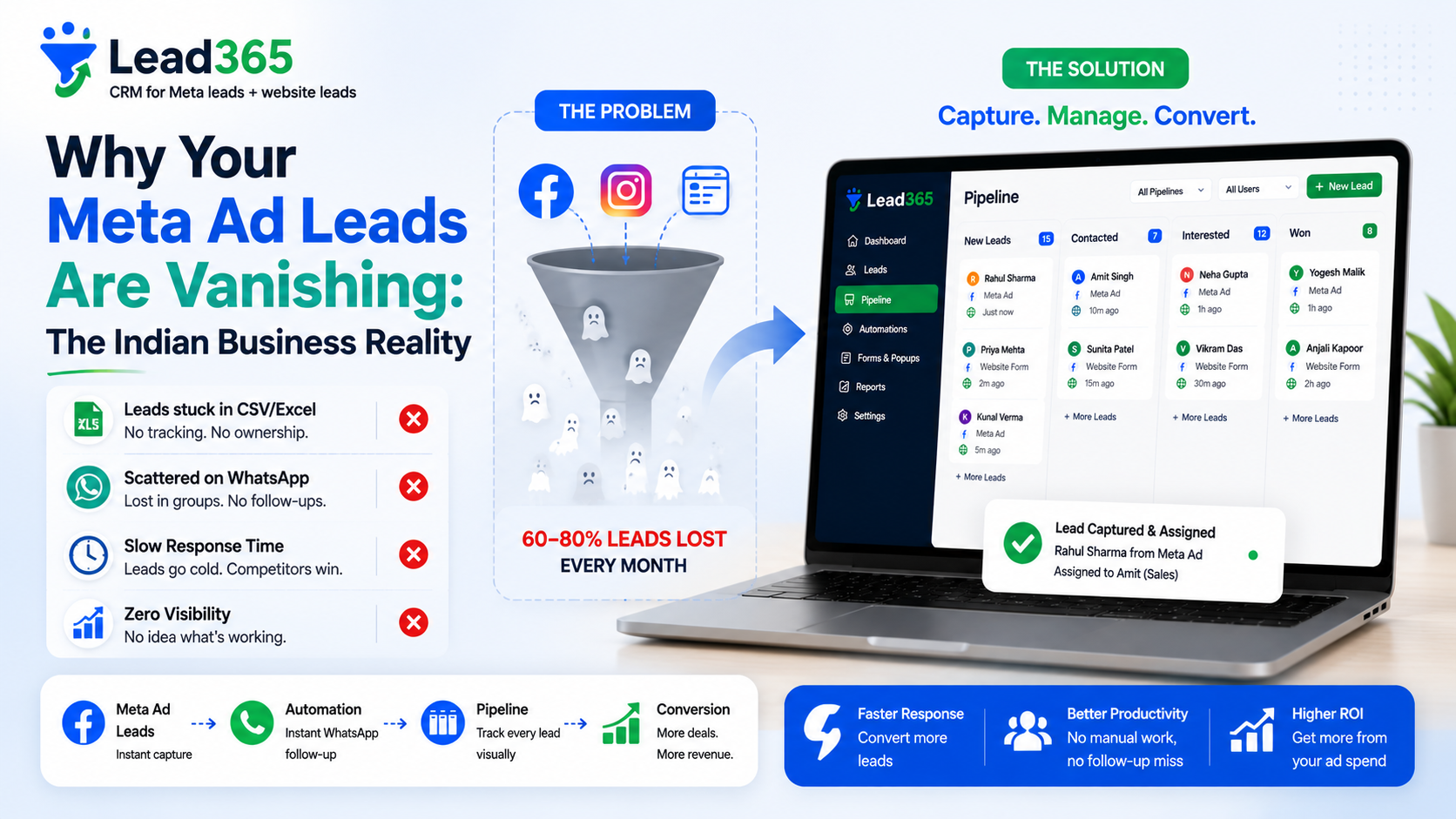
You know you got 84 leads at ₹210 CPL. You don't know which campaign closed — was it "Noida 2BHK Video" or "Gurgaon 3BHK Carousel"? Your ads manager shows leads, but not revenue. So you pause the wrong creative and CPL rises.
If you run Meta Lead Ads in India without attribution tracking from first click to closed deal, you optimize for cheap leads, not won deals — and waste 40% ad spend.
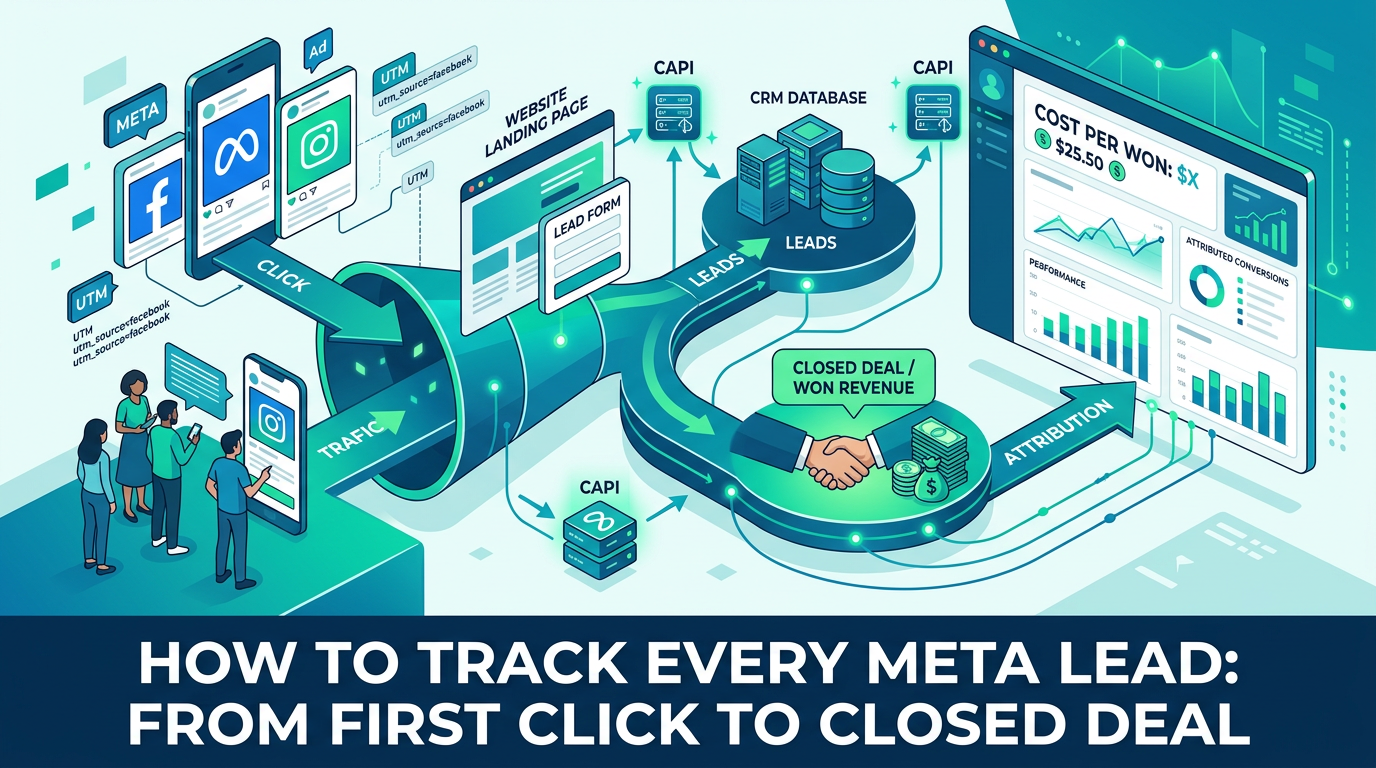
Direct Answer: To track every Meta lead India from click to Won: 1) Auto-tag every lead with campaign name via Meta webhook (Lead365 does 2 sec), 2) Add UTM + fbc/fbp for landing+form hybrid, 3) Fire CAPI events Lead → Qualified → Purchase with value, 4) View Reports → Campaign ROI in Lead365 to see cost per Won, not CPL. Takes 5 min, no dev.
Key Takeaways
- CPL ≠ Revenue: Noida campaign ₹180 CPL with 22% close = ₹818 per won; Gurgaon ₹240 CPL with 28% close = ₹857 per won — Gurgaon actually loses though cheaper CPL? See table.
- Lead365 auto-tags: Webhook tags every lead with campaign_id, campaign_name, ad_name, form_name — no UTM needed for Instant Forms.
- CAPI closes loop: When rep marks Won, CAPI Purchase event tells Meta which click won → Meta finds lookalikes.
- Reports: Lead365 Campaign ROI shows leads, qualified, won, revenue, cost per won per campaign/creative.
Definition Box: Attribution for Lead Ads
| Term | What Tracks India |
|---|---|
| Campaign Tag | Meta webhook sends campaign_name "Delhi_2BHK_Aug_Video_A" → CRM stores |
| UTM + fbc/fbp | For landing page → form, URL ?utm_campaign=noida_video + click ID fbc |
| CAPI Qualified/Purchase | CRM sends back Won value (e.g., ₹12L) linked to original click via phone hash |
| Cost per Won | Total ad spend / Won deals → real ROI vs CPL |
| EMQ | Event Match Quality 7.6+ needed for attribution to work |
Why Attribution Matters India 2026
- Zero Visibility Pain: Homepage asks "Which campaign brings best leads?" — without tagging, you can't answer.
- iOS + Ad Block: Pixel misses 30% — CAPI + webhook tagging recovers.
- Long Cycles: Real estate 30 days, coaching 21 days — browser forgets, CRM pipeline remembers with purchase event.
How Tracking Works (Lead365 Auto)
Ad (Campaign: Delhi_2BHK_Video_A) → User Clicks (fbc stored) → Fills Instant Form
  ↓ Webhook 2 sec
Lead365 Creates Lead: Tag = delhi_2bhk_video_a, Form = Noida Inquiry, Source = Meta, Cost imported via Ads Insights API
  ↓ Rep Moves Stage: New → Contacted → Qualified (site visit)
  ↓ CAPI: Fire QualifiedLead event with campaign_id + fbc
  ↓ Rep Marks Won (₹50L) → CAPI Purchase ₹50L
  ↓ Reports → Campaign Delhi_2BHK_Video_A: 42 leads, 18 qualified, 9 won, ₹18k spend → CPL ₹428 → Cost per Won ₹2,000 → ROI 27X
See also Meta Conversions API setup India for CAPI steps.
Step-by-Step: Enable Attribution 5 Minutes (No Dev)
Step 1: Auto-Tag Enabled by Default in Lead365
No action — webhook already tags campaign/ad. Check lead detail → Tags show campaign_name. Verify in Real-time meta lead sync logs.
Step 2: Connect Ads Spend for Cost per Won (1 min)
Settings → Integrations → Meta Ads → Connect Ads Account → Approve ads_read → Lead365 now pulls spend per campaign daily via Insights API → Needed for cost per won.
Step 3: Enable CAPI Mapping Qualified→Purchase (1 min)
As per A1 guide — Map Qualified → Lead (custom) and Won → Purchase with value field Deal Value. Adds fbc/fbp automatically.
Step 4: Use Hybrid UTM for Landing Page Leads (Optional 2 min)
If you also run Google Ads → landing → form: Add hidden fields utm_campaign, fbc via Lead365 form embed → Auto captured. Instant Forms don't need UTM.
Step 5: View Campaign ROI Report (30 sec)
Reports → Campaign ROI → Filter Last 30 days → Table shows Campaign, Spend, Leads, Qualified, Won, Revenue, Cost per Won. Sort by Cost per Won lowest → Scale winner. Export CSV for owner.
Use Cases India
Real Estate Gurgaon: Campaign A Video ₹210 CPL 12 won/₹45L avg = ₹2,100 cost per won vs Campaign B Carousel ₹180 CPL 5 won = ₹3,600 per won → Despite cheap CPL, B loses → Pause B.
Coaching Mumbai NEET: Creative "Faculty" vs "Results": Faculty CPL ₹165 but close 9% → ₹1,833 per admission; Results CPL ₹195 close 18% → ₹1,083 per admission → Scale Results (proof in Coaching CRM Mumbai).
Clinic Hyderabad: Source tag Popup vs Meta: Popup cost per won ₹320 vs Meta ₹890 → Invest in popup per Website popup guide.
Comparison Table: Attribution Methods
| Method | What It Tracks India | Needs Dev | Accuracy | Best For |
|---|---|---|---|---|
| Lead365 Auto Campaign Tag (webhook) | Instant Form campaign/ad name | No | 100% for Instant Forms | All Meta Lead Ads |
| UTM + fbc hidden field | Landing page click → form | Copy paste | 95% | Hybrid Google+Meta landing |
| CAPI Purchase | Offline Won back to Meta click | No (1-click) | 7.6 EMQ → 90% match | Long cycles 7-60 days |
| Pixel Only | Browser click | Paste pixel | 60% (iOS blocked) | Short session only |
| Manual CSV + Campaign column | You type campaign | Manual | 40% errors | Never — avoid |
Pros & Cons
Pros: Know real ROI, kill losing creatives, CAPI trains Meta lookalikes of winners → CPL drops 13-40%.
Cons: Needs cost integration + sales marking Won honestly → garbage in garbage out.
Best Practices
- Never judge by CPL alone — always cost per Won.
- Mark Won with Deal Value — enables revenue column and Meta value optimization.
- Backfill 90 days qualified → warm Meta before pausing.
- Check Reports weekly — pause >₹1,500 per won if ticket ₹8k.
Mistakes
- Not connecting Ads spend → Reports show leads but no cost.
- Marking every lead Qualified → Pollutes CAPI.
- Using preview test → campaign tag dummy.
Conclusion
Stop pausing winning creatives. Tag with webhook, fire CAPI Won, view cost per Won in Lead365 Reports. Scale winners, pause losers — not cheap CPL.
See Reports Live → Start tracking with trial Fix sync issues first if tags missing. Check city ROI Delhi.
Frequently Asked Questions.
Lead365 webhook auto-tags campaign_name per lead → Reports show leads per campaign.
No, webhook tag is better; UTM only for landing page hybrid.
CAPI Purchase with phone hash + fbc links Won to click.
CPL = spend/leads, Cost per Won = spend/Won → real profit.
Yes, ad_name tag in lead detail → Reports by creative.
Meta via CAPI 7-28 days vs CRM pipeline indefinite (until Won).
Ready to Stop Losing Leads?
Try Lead365 Pro for just ₹99. All features, 30 days, cancel anytime.
Start ₹99 Trial →